1. Git Cheat Sheet
1.1 Resource
1.1.1 Online
1.1.2 Download
- GitCheatSheet [.pdf]
- Git cheat sheet, extended edition prepared [.svg]
- Git Quick Reference [.pdf]
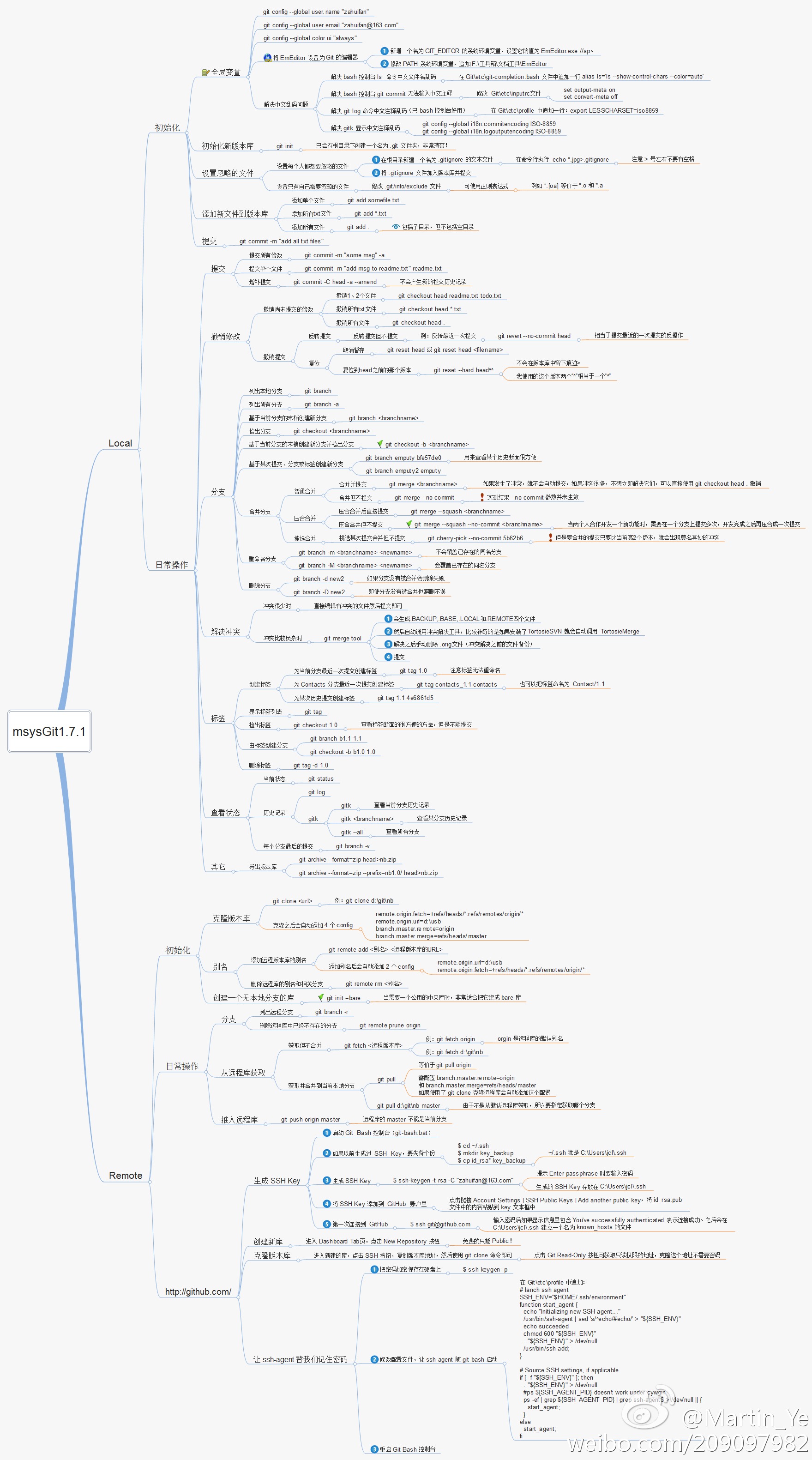
- Git Cheat Sheet In Chinese
![Git cheat sheet, extended edition prepared [.svg]](https://overapi.com/static/cs/git-cheat-sheet-v2-back.svg)
1.1.3 Related
1.2 Create Git
1.2.1 From existing directory
- cd project_dir
- git init
- git add .
1.2.2 From other repository
- git clone existing_dir new_dir
- git clone git://github.com/user/repo.git
- git clone https://github.com/user/repo.git
1.3 Local Changes
1.3.1 Changed in working directory
- git status
1.3.2 Tracked file changes
- git diff
1.3.3 Add changed files
- git add file1 file2 file3
1.3.4 Remove file
- git rm file
- git rm dir/ -r
- (recursive under directory)
1.3.5 See files ready for commit
- git diff --cached
1.3.6 Commit changes
- git commit
- git commit -m "My message"
- git commit -a -m "My Message"
- (tracked files only, auto add)
1.3.7 Change last commit
- git commit --amend
1.3.8 Revert changes to file
- git checkout --file
1.3.9 Revert changes (new commit)
- git revert HEAD
1.3.10 Return to last committed state
- git reset --hard HEAD
1.4 History
1.4.1 Show all commits
- git log
1.4.2 Short Format
- git log --pretty=-short
1.4.3 Patches
- git log -p
1.4.4 Show file commits
- git log file
1.4.5 Show directory commits
- git log dir/
1.4.6 Stats
- git log --stat
1.4.7 Who changed file
- git blame file
1.5 Merge/Rebase
1.5.1 Merge branch into current
- git merge branch
1.5.2 Rebase into branch
- git rebase branch
- git rebase master branch
1.5.3 Abort rebase
- git rebase --abort
1.5.4 Merge tool to solve conflicts
- git mergetool
1.5.5 To view the merge conflicts
- git diff
- complete conflict diff
- git diff --base $file
- against base file
- git diff --ours $file
- against your changes
- git diff --theirs $file
- against other changes
1.5.6 To discard conflicting patch
- git reset --hard
- git rebase --skip
1.5.7 After resolving conflicts
- git add $conflicting_file
- do for all resolved files
- git rebase --continue
1.6 Remote Update / Publish
1.6.1 List remotes
- git remote -v
1.6.2 Show information
- git remote show remote
1.6.3 Add remote
- git remote add path/url
1.6.4 Fetch changes
- git fetch remote
1.6.5 Fetch + merge
- git pull remote branch
1.6.6 Publish local to remote
- git push remote branch
1.6.7 Delete remote branch
- git push remote :branch
1.6.8 Publish tags
- git push origin/upstream --tags
1.7 Branching/Tagging
1.7.1 List branches
- git branch
1.7.2 Switch to branch
- git checkout branch
1.7.3 Create new branch
- git branch new
1.7.4 Create branch from existing
- git branch new existing
1.7.5 Delete branch
- git branch -d branch
1.7.6 Tag current commit
- git tag tagname
1.8 Useful Commands
1.8.1 Finding Regressions
- git bisect start
- to start
- git bisect good $id
- $id is the last working version
- git bisect bad $id
- $id is a broken version
- git bisect bad/good
- to mark it as bad or good
- git bisect visualize
- to launch gitk and mark it
- git bisect reset
- once you're done
1.8.2 Check for Errors and Cleanup Repository
- git fsck
- git gc --prune
1.8.3 Search Working Directory for foo()
- git grep "foo()"
Last update:
2024-02-12
Created: 2024-01-30
Created: 2024-01-30